How to redeem game codes on the Nintendo Switch 2

Digital game codes remain one of the simplest ways to add new titles to a Nintendo library. The Nintendo Switch 2 handles code redemption in a familiar way, building on the same process used on the original Switch. You can redeem a download code directly from the eShop on the console, or through a browser on a phone or desktop. Both routes link the purchase to the same Nintendo Account so the redeemed title appears on any compatible device tied to that account. The process is quick once you know where to look. Here is how to redeem game codes on Switch 2 through the console and online.

Things to know before you start

A Nintendo Account is required and the Switch 2 must be connected to the internet for on-device redemption. Most codes contain sixteen characters made up of letters and numbers. The characters are displayed on a physical card, on a receipt or in a confirmation email from a retailer. The characters should be entered exactly as supplied. Each code can only be redeemed once and becomes linked to the Nintendo Account used during the process.

How to redeem a game code on the Switch 2 via the eShop

Redeeming a code through the Switch 2 itself is the most direct approach because the download begins as soon as the code is accepted.

Start on the Switch 2 home screen and open the Nintendo eShop icon. The console will prompt you to choose the user profile that should receive the content. Each user profile has a separate eShop purchase history, so pick the correct one before moving on.

Once the eShop loads, look for the Redeem Code option in the main menu. On the Switch 2, this appears in the left navigation panel alongside the store’s standard browsing categories. Select Redeem Code to open a screen with an input field and the on-screen keyboard.

Enter the sixteen-character code carefully. Codes may contain similar-looking characters particularly when numbers and letters appear in the same sequence. After entering the full set of characters select OK to move forward. The system checks the code and shows a confirmation page with the game or content tied to it.

If the code is valid, select Redeem to finish the process. The game will appear on the home screen as soon as the redemption is complete. A progress bar shows the download status until the installation finishes. If the game includes a Switch and Switch 2 version, the system will prompt you to choose which version to download.

If the game does not begin downloading head to the All Software view or the Download Management screen to confirm the status. The redeemed title should be visible with either a queued or active download.

How to redeem a Switch 2 code online

Nintendo also supports online redemption through its digital store, which is useful if you are away from the console or prefer to type the code on a full keyboard. The redeemed title will still appear in your account’s purchase history and can be downloaded later from the Switch 2.

Open a browser on a phone, tablet or computer and go to the Nintendo Account login page. Sign in using the account linked to your Switch 2. Once logged in navigate to the code redemption page for the Nintendo eShop. This page contains a text box where you can paste or type the code.

Enter the code exactly as provided and select Next. A confirmation screen appears with the game details. Select Redeem to finalize the action. The content is now tied to your account and ready to download on your console.

If the console is in sleep mode and has auto downloads enabled, the game may start downloading immediately. Otherwise open the eShop on the Switch 2 later and check the Download Management section for your queued title.

What to expect after redeeming a code

Every redeemed game becomes part of your Nintendo Account’s digital library. This applies across devices tied to the same account, which means that games purchased on a Switch or a browser will still appear when you sign in on a Switch 2. If the game supports cloud backup through Nintendo Switch Online, save data will sync once the game is installed.

Some games offer separate versions for the original Switch and Switch 2. When this applies, you’ll be asked to pick which version you want to download. The choice does not usually affect your ownership but it determines which software build is installed on the device.

If a code fails, Nintendo advises checking that the characters are entered correctly and confirming that you are using a download code rather than a control number, which often appears on the same card. Codes for DLC downloads require the base game on the destination console. Region restrictions also apply so the code must match the region of your Nintendo Account’s eShop.

Why Switch 2 uses the same redemption system as the original Switch

The Switch 2 keeps the familiar eShop structure that users have relied on since the original console. Keeping this process consistent simplifies the transition for families with multiple consoles and reduces the friction of carrying existing purchases forward. Nintendo Accounts continue to serve as the backbone for digital ownership which makes it easy to claim a code on one device and access the game on another.

The updated interface on the Switch 2 adds clarity to navigation but code redemption still works the same way on both platforms. This continuity ensures that retailers can distribute standard sixteen-character download codes and users can rely on simple steps to activate them.

This article originally appeared on Engadget at https://www.engadget.com/gaming/nintendo/how-to-redeem-game-codes-on-the-nintendo-switch-2-130059847.html?src=rss 

Toyota’s Prius Prime saved me gas money but probably not the environment

I’ve always wondered what it would be like to own a plug-in hybrid, and recently, fate handed me that opportunity. On a recent trip to Vancouver, I rented a 2024 Toyota Prius Prime for nearly two months — the ideal scenario to try out North America’s most popular PHEV.

My experience with the Prius Prime

Previously, the words “Prius” and “sexy” were rarely used in the same sentence. However, I think the wedge-shaped Prius Prime introduced for 2023 is much sexier than its frumpy predecessors. The sleek shape also pierces the wind better to improve efficiency. It’s lower to the ground than before, though, which can make entry tough for taller or older people.

I was comfortable in the Prius Prime once seated, even though the materials and options aren’t quite as luxurious as other PHEVs sold in the US. On two 10-hour highway drives up to northern Canada I never felt sore (or cold) in the well-bolstered, heated seats. However, visibility wasn’t the greatest due to the low seating position and thick front pillars that occasionally blocked my view of traffic.

Steve Dent for Engadget

With its wraparound dash and 8-inch touchscreen, the interior is reasonably high-tech but not to the standard of some EVs I’ve tried recently. It came with wireless CarPlay and Android Auto support that gave me seamless streaming entertainment on long highway stretches. The driver safety features (lanekeeping, adaptive cruise, automatic braking and more) also boosted my confidence in Vancouver’s gnarly traffic. The Prius Prime doesn’t offer true one-pedal implementation, but it has a mode that’s close to that.

With a two-liter 150 HP gas motor and 161 HP electric motor (net 220 HP combined), the 2024 (fifth generation) Prius Prime has a whopping 100 more horsepower than the previous model. The electric drivetrain is supplied by a 13.6kWh battery (10.9kWH usable) that takes four hours to charge at 240 volts, or double that with 120-volt household electricity. That means you can juice it fully overnight, but it doesn’t have DC fast-charging for speedy power-ups on longer trips. The EPA electric range is 44 miles, 19 more than the fourth-gen Prius.

It accelerated surprisingly well (from 0 to 60mph in 6.7 seconds) and was agile, but had a fair amount of body roll since it’s not designed for the race track. Still, considering the Prius’s reputation as a staid hippie econobox, the new model was downright sporty. I enjoyed driving in the all-electric mode much more than the hybrid mode, though — it was quieter and smoother, with lower noise levels and vibration.

So, how far was I able to drive on that electric motor alone? On the highway at about 65 MPH, I eked out 30 miles and just over 40 miles in the city. On one trip, I drove from the city center to a suburb 30 miles away and made it there and partially back on a full charge. On another voyage, I was able to drive back and forth between the east- and west-most points of Vancouver (13 miles) — a typical commute for many city-dwellers — with about a quarter charge to spare.

Steve Dent for Engadget

With consistent charging, my fuel consumption over a two week period (averaging 25 miles per day) was about a quarter of a tank or around $7.50. In terms of electricity, I used nearly 70.5kWh during that time at $.085/kWh, for a total of $6. All told, I spent $13.50 for gas and electricity over 350 miles of mixed driving, so the Prius Prime was clearly cheap to operate.

For longer trips, it’s still as inexpensive as it gets for a gasoline-powered vehicle, thanks to the efficient ICE motor and hybrid system that’s among the best in the industry. With a full battery charge and tank, I set out on a 547-mile drive and travelled 470 miles before stopping for gas, with a quarter tank to spare. That fill-up cost around $25.

The true savings and the problem with plug-in hybrids

The timing for my test of this car was ideal. In October, I spotted a European study concluding that PHEVs aren’t as economical as expected over a large sample size. Engadget’s article about that stirred up some passion among owners and potential buyers, so I wanted to compare my experience with points in the study.

First, let’s see if a PHEV is worth the extra money compared to a regular hybrid. My calculations are for the average US buyer and don’t take state or federal clean air rebates into account.

When I chose to rent a “compact” car, Avis assigned me a mid-range Prius Prime XSE — a model that lists at $37,320 but typically sells for $34,590, according to Edmunds. That suited me well as it only lacked a few features of the high-end XSE Premium, notably the larger 13.2-inch infotainment display and solar roof option. A fully equipped 2026 XSE Premium model with those features costs $41,665.

Steve Dent for Engadget

Since Toyota also makes a regular hybrid Prius, that vehicle offers an ideal comparison. The equivalent Prius XTE model has a list price of $31,995 in a similar configuration, making it $5,325 cheaper than the Prius Prime XSE.

The average US driver covers 13,662 miles per year and gasoline currently has a median $3 per gallon price. Over that distance, a non-PHEV Prius driver could expect to burn 273 gallons at 50 MPG (EPA combined) in a year, spending $819 on fuel.

A Prius Prime driver, on the other hand, would use 70 to 85 percent less fuel by current EPA or WLPT estimates. If we generously take the high end of those numbers at 85 percent, that cuts fuel costs to $160. That would require using about 2,500 kWh of electricity, though, so at an average US price of $0.18/kWh, that amounts to $450, for a total of $610 (gas plus electricity). That means you’d save just $209 in a year, or $2,090.00 over 10 years — not enough to justify the extra price. (Fuel and electricity prices, usage and other factors vary by region and can have a big impact on those figures.)

It could be even worse than that, according to a European automotive thinktank called Transport & Environment (T&E). After gathering real-world OBFCM data from 800,000 vehicles, they determined that PHEVs only run in all-electric mode 27 percent of the time, rather than 84 percent as estimated by Europe’s WLPT standard. As a result, plug-in hybrids in Europe emit five times more emissions and cost users €500 ($586) more per year than previously thought. Those figures are likely similar in the US.

Steve Dent for Engadget

How could regulators be so wrong about this key data? The first, obvious reason is that they underestimated how often people charge their vehicles. With their relatively short range, plug-in hybrids often need a full charge to get through the day in electric-only mode — but many people aren’t doing that.

Why? One reason may be a lack of easy charger access away from home. I found them to be difficult to find and use, often requiring a sign-up or app rather than just letting me tap a credit card (I’m looking at you, ChargePoint, Flo and Switch Energy). It can also be more expensive than just buying gasoline, since many companies charge triple or more the market rate for electricity. Another factor is that drivers of company or fleet PHEVs charge their vehicles less often than private owners.

There’s one additional and especially pernicious reason: The ICE engine often kicks in when PHEVs are supposedly running in all-electric mode, particularly with heavier sedans or SUVs. That’s because the electric motors alone aren’t powerful enough for maneuvers like passing.

Larger batteries can boost all-electric usage, but only to a point. Beyond 45 miles of range, emissions actually increase. The reason is simple: “Long-range PHEVs are the heaviest in the dataset, averaging 28 percent more mass and 33 percent more engine power than the group just below,” T&E wrote.

Steve Dent for Engadget

Overall, I enjoyed my time with the Prius Prime and found it to be fun, practical and cheap to drive. It’s the most economical PHEV because it has excellent electric range and enough power that the ICE engine rarely needs to kick in. At the same time, it offers the highest EPA mileage rating of any non-EV sold in North America. If I were in the market for a new vehicle, the Prius Prime would be high on my list.

However, I also learned that PHEVs aren’t reducing emissions or saving buyers as much as regulators and manufacturers have promised. Governments are to blame for much of that, as they overestimated all-electric use in PHEVs and failed to support the charging infrastructure needed to make them practical.

Responsibility also falls to automakers and buyers. Consumers want SUVs, but manufacturers aren’t making the electric motors in PHEVs powerful enough to run all the time in EV mode or offering fast DC charging. At the same time, drivers are failing to charge their vehicles consistently. Until those issues are solved, in my experience plug-in hybrids are a poor substitute for EVs in terms of emissions and a less economical choice than regular hybrids.

This article originally appeared on Engadget at https://www.engadget.com/transportation/toyotas-prius-prime-saved-me-gas-money-but-probably-not-the-environment-133027378.html?src=rss 

US bans former EU Commissioner and others over social media rules

The Trump administration has issued travel bans that prohibit five European tech researchers, including one former EU Commissioner, from entering the United States. “For far too long, ideologues in Europe have led organized efforts to coerce American platforms to punish American viewpoints they oppose. The Trump Administration will no longer tolerate these egregious acts of extraterritorial censorship,” said US Secretary of State Marco Rubio.

That official is Thierry Breton, the former European Commissioner for Internal Markets and Digital Services, who Sarah Rogers called the “mastermind” of the Digital Services Act. Rogers, the Under Secretary of State, said Breton threatened Elon Musk about ongoing formal proceedings for X’s noncompliance with “illegal content” and “disinformation” under the DSA just before his meeting with President Trump. The administration has also banned Imran Ahmed from the Center for Countering Digital Hate (CCDH), who apparently called for American anti-vaxxers to be deplatformed. One of those people is Robert F. Kennedy, Jr., who’s now the US Secretary of Health.

Clare Melford from the UK-based Global Disinformation Index has also been banned. Her group monitors online platforms for hate speech. Anna-Lena von Hodenberg and Josephine Ballon from German organization HateAid, have been banned, as well. HateAid flags hate speech online for the EU under DSA rules.

As The New York Times notes, these travel bans emphasize the administration’s close relationship with internet and tech companies, which would benefit from having DSA rules loosened or abolished. The Global Disinformation Index called the travel bans “an authoritarian attack on free speech and an egregious act of government censorship.” Meanwhile, von Hodenberg and Ballon said the bans mark a new escalation. “The US government is clearly questioning European sovereignty,” they said. 

This article originally appeared on Engadget at https://www.engadget.com/big-tech/us-bans-former-eu-commissioner-and-others-over-social-media-rules-121804097.html?src=rss 

IO Interactive’s 007 First Light has been delayed until May 27

IO Interactive’s James Bond simulator 007 First Light has been delayed until May 27, 2026. It was supposed to come out in March. The company says two-month delay is for polish and refinement, which is fine by me. I’d always rather wait a bit longer for a better end product.

IO says the game is already “fully playable from beginning to end” but still needs a bit of attention to ensure “the strongest possible version at launch.” The developer promises to share more updates at the beginning of next year.

For the uninitiated, 007 First Light is the first James Bond game in over a decade. The developer is the same organization behind the renowned Hitman franchise, so this could potentially be the best Bond game since Goldeneye.

The gameplay looks fast-paced, frenetic and filled with spycraft. It features an original story that pulls from all over the decades-long franchise. We got a chance to speak to narrative director Martin Emborg and he noted that the game stars a young and inexperienced Bond, which seems to be the direction Amazon is taking with its upcoming film.

The game also boasts a pretty stacked cast. Patrick Gibson, from The OA and Dexter: Original Sin, plays the famous lothario spy and Lenny Kravitz has been cast as the primary villain. Other cast members include Lennie James, Kiera Lester, Alastair Mackenzie and Priyanga Burford.

Who knows when the next Bond film will actually come out, so this should be a nice little stopgap for fans.

This article originally appeared on Engadget at https://www.engadget.com/gaming/io-interactives-007-first-light-has-been-delayed-until-may-27-194809718.html?src=rss 

Engadget Podcast: Why is the Nex Playground ‘AI console’ such a hit?

Over the past two years, the Nex Playground has carved out a niche for itself with kids and parents alike. It’s a small box that sits in front of your TV and uses a camera, along with computer vision AI processing, to track your movement for interactive games. Think of it like a simplified version of Microsoft’s Kinect (RIP), with a bit of the local multiplayer we see from the original Wii. In this bonus episode, we chat with David Lee, Nex’s CEO and co-founder, about how he went from building a basketball tracking app to one of the most intriguing gaming console alternatives on the market. (The Nex Playground even managed to outsell Xbox in November!)

Subscribe!

iTunes

Spotify

Pocket Casts

Stitcher

Google Podcasts

Topics

What led to the development of the Nex Playground? — 2:04

Who helped design and build the console? — 8:36

Questions about the Nex PlayPass subscription and other ways to get new games — 13:23

How did Nex convince major brands to build for Nex Playground? — 19:10

Credits

Host: Devindra Hardawar
Guest: David Lee, CEO and co-founder of Nex
Producer: Devindra Hardawar
Music: Dale North

This article originally appeared on Engadget at https://www.engadget.com/social-media/engadget-podcast-why-is-the-nex-playground-ai-console-such-a-hit-181151201.html?src=rss 

Xbox cloud gaming comes to newer Amazon Fire TV models

Xbox has brought cloud gaming gaming to some Amazon Fire TV models. These include the Fire TV 4-Series and the Fire TV Omni QLED Series. This lets people play Xbox games directly on the television, without needing a bulky console or even something like a Fire TV stick. 

Gamers do need a couple of things. First and foremost, this service requires a subscription to Game Pass. Plans start at $10 a month and shoot all the way up to $30 per month. They’ll also need a compatible wireless controller, though most Bluetooth-enabled gamepads should work.

Amazon

The feature works for every game on the Game Pass platform and will also stream many titles that people own outright via the “stream your own game” feature. This won’t work with everything, but hundreds of titles are supported. 

Amazon says this is just the beginning and that more TV models will receive the functionality in the future. Xbox Game Pass became available on select Amazon streaming devices earlier this year. Today’s move makes sense, given that Fire TVs and the company’s streaming sticks use the same OS. 

This article originally appeared on Engadget at https://www.engadget.com/gaming/xbox/xbox-cloud-gaming-comes-to-newer-amazon-fire-tv-models-163517432.html?src=rss 

New York Times reporter files lawsuit against AI companies

Investigative reporter John Carreyrou of the New York Times filed a lawsuit against xAI, Anthropic, Google, OpenAI, Meta and Perplexity on Monday for allegedly training their AI models on copyrighted books without permission. Carreyrou is perhaps best known for exposing the Theranos fraudulent blood test scandal.

According to Reuters, the lawsuit was filed alongside five other writers who all claim big tech companies have been violating their intellectual property rights in the name of building large language models.

This comes after a banner year for IP lawsuits against AI companies brought by rights holders. Just about every type of entity that deals in protected content has gone to court against AI companies this year, from movie studios like Disney and Warner Bros. to papers like the New York Times and the Chicago Tribune. Some of these cases have led to settlements in the form of partnerships, such as the licensing deal between Disney and OpenAI.

It’s notable that this case is being brought by a small group of individuals instead of as a class action, something the authors involved say is no accident. “LLM companies should not be able to so easily extinguish thousands upon thousands of high-value claims at bargain-basement rates,” the complaint reads. This is also the first case of its kind to list xAI as a defendant.

A spokesperson for Perplexity told Reuters that the company “doesn’t index books.” Anthropic, for its part, is no stranger to lawsuits from book publishers, having recently settled a class-action lawsuit brought by half a million authors for $1.5 billion. Apple was also sued earlier this year amid similar allegations. This latest complaint mentions the Anthropic settlement specifically, saying that class members in that case will only receive “a tiny fraction (just 2 percent) of the Copyright Act’s statutory ceiling of $150,000.”

Engadget has reached out to xAI, Anthropic, Google, OpenAI, Meta and Perplexity for comment and will update with any response.

This article originally appeared on Engadget at https://www.engadget.com/ai/new-york-times-reporter-files-lawsuit-against-ai-companies-161624268.html?src=rss 

Apple’s iOS 26.3 will introduce proximity pairing to third-party devices in the EU

Apple is making it a little easier to use third-party devices with iPhones in order to comply with Europe’s Digital Market Act (DMA), MacRumors reported. For iOS 26.3, Apple’s devices will support third-party proximity pairing and notifications in Europe only, according to the latest beta notes. That will make it a bit easier to connect devices like Sony headphones or receive notifications from an iPhone on Wear OS smartwatches — provided manufacturers support the new feature. 

“The DMA creates new opportunities for developers to bring to market innovative products and services in Europe,” an EU spokesperson told The Wall Street Journal. “This is another step towards a more inter-connected digital ecosystem to the benefit of all EU citizens.” The EU Commission added that the functionality will be “fully available” in the bloc in 2026.

The new capabilities are as follows:

Proximity pairing – Devices like earbuds will be able to pair with an iOS device in an AirPods-like way by bringing the accessory close to an iPhone or iPad to initiate a simple, one-tap pairing process. Pairing third-party devices will no longer require multiple steps.

Notifications – Third-party accessories like smart watches will be able to receive notifications from the ‌iPhone‌. Users will be able to view and react to incoming notifications, which is functionality normally limited to the Apple Watch. Notifications can only be forwarded to one connected device at a time, and turning on notifications for a third-party device disables notifications to an Apple Watch.

Proximity pairing is a relatively minor quality-of-life upgrade, allowing you to connect with a tap via NFC rather than diving into the Bluetooth settings. However, there’s no indication that it will allow seamless switching between devices as you can do with Apple’s iPods, for instance. Notifications, however, will finally make third-party watches feasible with iOS devices. 

Apple’s DMA compliance efforts are interesting to watch, as it appears to be doing the bare minimum required, often for what it calls privacy reasons. In some cases, the company is removing features in Europe that are available elsewhere, like iPhone mirroring on Mac — meaning it doesn’t have to implement the same feature on Android devices or PCs. 

This article originally appeared on Engadget at https://www.engadget.com/mobile/apples-ios-263-will-introduce-proximity-pairing-to-third-party-devices-in-the-eu-133037696.html?src=rss 

2025 was the year Xbox died

Want to see a dead body? I present to you the Xbox. After a subdued launch at the height of the COVID pandemic in 2020, the Xbox Series X quickly lost the fight against the PlayStation 5. Microsoft simply couldn’t deliver enough compelling games, despite some huge acquisitions, while Sony leaned on its goodwill from the PS4 era and a handful of desirable exclusives. As prices rose due to supply chain issues and the Trump administration’s volatile tariff scheme, there was even less of a reason to get an Xbox (even the cheaper Series S). When I re-reviewed the Series X last year, it was clear that it never lived up to its potential. Anyone in their right mind would be better off buying a PlayStation 5.

Xbox didn’t enter 2025 in a great state, and it’s leaving the year grasping for help, like an Arc Raider player desperate for a revival after being knocked out. Microsoft cancelled the Perfect Dark reboot and Everwild, two of the most interesting games in its weak upcoming slate. The company brought titles like Forza Horizon 5 over to the PlayStation 5, which prompted Engadget Deputy Editor Nathan Ingraham to declare he no longer needed an Xbox

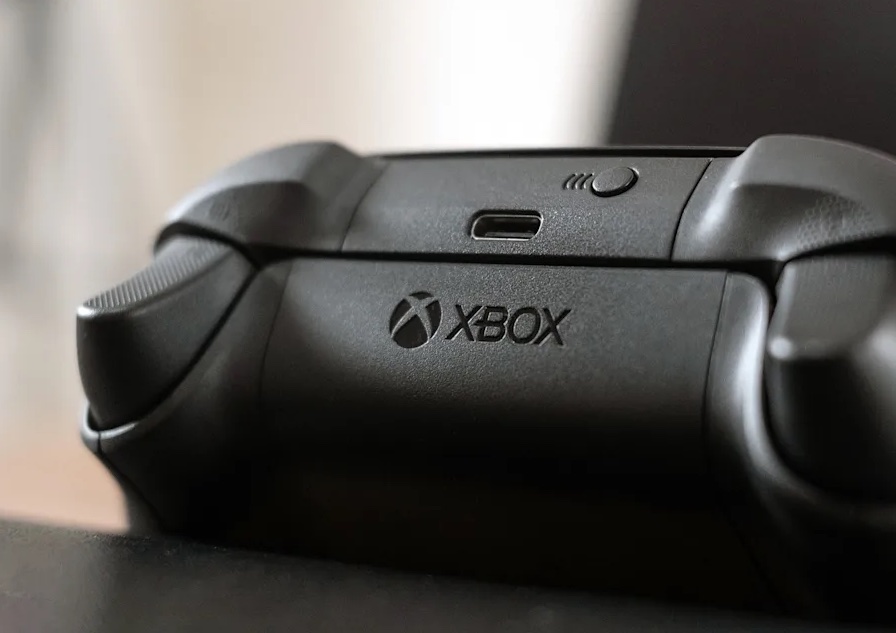
Xbox Series X controller

Engadget

Making things worse this year, Microsoft raised prices across the board, with the Xbox Series S starting at $400 and the cheapest Series X going for a whopping $600. And slow sales prompted Costco to stop selling Xbox consoles entirely. Microsoft didn’t even try to push systems during Black Friday — why go through the trouble of having sales if nobody is buying the hardware in the first place? 

Even Game Pass, which was once renowned as one of the best deals in gaming, almost doubled in price over the last year, reaching up to $30 a month (or $360 a year) for the Ultimate tier. Sure, Microsoft tried to add more value to its cheaper Game Pass tiers, and finally upgraded its cloud streaming platform, but the lack of consistent must-play exclusive titles has devalued the service (and Xbox as a whole). Avowed and South of Midnight were among the few exclusive highlights, but the latter will hit PS5 and Switch 2 next year. There’s no word on Avowed reaching other consoles yet, but given Microsoft’s current trajectory (and the fact that it’s a genuinely great game), I wouldn’t be surprised if it becomes available elsewhere.

There was a chance for Microsoft to reinvigorate the Xbox brand with the ASUS ROG Xbox Ally and Ally X gaming handhelds, but the $600 and $1,000 launch prices placed them out of reach for most gamers. It also doesn’t help that Windows still isn’t well-optimized for portable devices with touchscreens, and those systems also aren’t compatible with older Xbox titles like the consoles. At the very least, Microsoft now has a handheld foothold. But a future portable Xbox console would need to be significantly cheaper to compete with the likes of the Steam Deck, which starts at $400 (and is often on sale for much less).

And speaking of Valve, the company’s recently announced Steam Machine has also stolen a lot of potential thunder from Xbox. The Steam Machine is basically a tiny gaming desktop for your TV, running the Steam Deck’s SteamOS. That platform is a Linux distribution optimized for emulating Windows titles. But unlike an Xbox console, it’s not closed off in any way. You’re free to install whatever you’d like on a Steam Machine — even Windows!

While we still haven’t seen the Steam Machine in action, the Steam Deck’s excellent performance and game compatibility makes me think its desktop sibling could be genuinely compelling to console players looking for something new. And it will likely directly compete with the next Xbox, which is rumored to arrive in 2027 as a PC in a TV-friendly case (according to Windows Central’s Jez Corden). Microsoft’s recent partnership deal with AMD also hints at a more PC-like experience — Xbox President Sarah Bond noted that the Xbox team is “working closely with the Windows team to ensure that Windows is the number one platform for gaming.”

It’s worth remembering that only a single generation of the Xbox — the Xbox 360 — was successful enough to truly compete with Sony’s PlayStation. The original Xbox reportedly cost Microsoft $4 billion over the course of four years, leading the company to quickly jump ship and move to its successor. The Xbox 360 was genuinely innovative, thanks to Xbox Live and smarter online integration, and it had a healthy amount of third-party support. In comparison, Sony’s PlayStation 3 was $100 to $200 more expensive than the Xbox 360 at launch, it had far worse online support and developers found it hard to program for.

Xbox Series X

Devindra Hardawar for Engadget

Unfortunately, Microsoft squandered most of its good will with the Xbox One. That console was first announced as an “always online” device with restrictive DRM features that limited how you could share and sell games; it was bundled with a Kinect camera that could potentially surveil you; and at $499, it was $100 more than the PlayStation 4. Microsoft quickly reversed many of its DRM-heavy plans for the Xbox One, but by that point the damage was done. Sony ultimately sold more than twice as many PS4 units as the entirety of the Xbox One family (which included the cheaper One S and more powerful One X), according to data from Ampere Research

Things are looking worse this generation: The Xbox Series S and X reportedly only sold around 33 million units as of July, according to Statista estimates, while Sony confirmed it sold 84.2 million PS5s as of November. If this trend continues (and it doesn’t appear as if Xbox sales will be increasing any time soon), Sony could end up selling three times as many consoles this generation, compared to Microsoft. Xbox sales have been so slow that the family-focused Nex Playground managed to outsell it in November, according to data from Circana.  

Given Xbox’s inability to compete with the PlayStation 5, it’s no wonder Microsoft could be changing things up entirely for its next system. Its partnership with AMD could easily lead to new handhelds, and it also gives Microsoft a leg up in producing a compact and powerful Xbox PC. After all, why should the company keep trying to go toe-to-toe with Sony’s closed PlayStation platform? Why shouldn’t Microsoft embrace its PC roots to give us a gaming desktop under our TVs? The company has already committed to bringing new Xbox games to PCs immediately, so the line between the two is already blurring. 

It may be a risk, but evolving into a PC proves there’s still life in the Xbox brand. And crucially, it’s also something Sony can’t easily replicate.

This article originally appeared on Engadget at https://www.engadget.com/gaming/xbox/2025-was-the-year-xbox-died-130000467.html?src=rss 

How to set up an Apple Watch for a child

Giving a child an Apple Watch can offer extra peace of mind and tools that promote independence in a controlled way. Apple’s Family Setup feature makes it possible for a kid to use an Apple Watch without owning an iPhone, and the feature set has expanded thanks to recent watchOS updates. It supports communication controls, location tools, Schooltime limits and privacy protections that allow a parent or guardian to manage how the device is used throughout the day.

The setup process begins with creating or signing in with a child’s Apple ID. It continues with adding them to your Family Sharing group on an iPhone and pairing a compatible Apple Watch through the Apple Watch app. Once the watch is linked, you can adjust a range of parental controls that shape how the watch works at home, at school and when the child is out and about.

Confirm device compatibility

Family Setup requires a cellular-capable Apple Watch such as the Apple Watch SE or Series 6 or later. A cellular connection allows the watch to operate independently without an iPhone nearby. The watch must be running a recent version of watchOS and the iPhone used for setup must be running the latest iOS version.

If the watch is not new, it needs to be erased before it can pair with a new user. This can be done directly on the watch through the Settings menu by choosing the general reset option. Once the device is reset it can be paired again from the Apple Watch app.

Create or prepare your child’s Apple ID

Family Setup relies on each child having their own Apple ID. This allows their data, messages, activity goals and device settings to remain separate from other people in the household. If your kid already has an Apple ID, it can be used during setup. If they do not have one, the Apple Watch app will prompt you to create one as you go through the pairing process.

A child’s Apple ID is linked to Family Sharing, which lets the organizer manage permissions from a single iPhone. A parent or guardian can approve contacts, handle screen time requests and view location updates without needing to touch the watch itself. Setting this up first ensures that the watch can be paired smoothly later.

Add the child to Family Sharing

Family Sharing is the foundation for managing the watch, and it’s all controlled through the Settings app on your iPhone. Once Family Sharing is open you can tap the option to add a family member then follow the prompts to link the child’s Apple ID to the group. This also makes you the family organizer, which gives you control of purchase approvals, communication limits and other shared features.

Once the child is added to Family Sharing their information becomes available when you begin pairing the Apple Watch. This makes the process faster since the watch can immediately associate itself with the correct Apple ID.

Pair the watch using Family Setup

Turn on the Apple Watch and place it near your iPhone. A prompt should appear directing you to use your iPhone for setup. If the prompt does not appear, you can open the Apple Watch app, go to All Watches and choose Add Watch. The app will then ask if the device is being set up for you or for a family member. Choose the family member option and continue.

The camera on your iPhone is used to pair the devices. Align the Apple Watch face inside the frame on your screen until the pairing animation is recognized. Once the connection is made the app will ask which family member the watch is for. Select the child’s profile to continue through the remaining steps.

The app will guide you through choosing which wrist the watch will be worn on, setting a passcode, signing in with the child’s Apple ID and enabling services such as Siri and location tracking. You can also set up activity goals tailored to the child’s age and fitness level.

Manage the watch from your iPhone

Once the Apple Watch is paired, the Watch app becomes the main place to manage how it works. The Family Setup interface is designed to give parents and guardians control without needing to handle the watch directly. Most adjustments can be made at any time from the iPhone used for setup.

Screen Time controls allow you to set limits for communication and app use. You can restrict access to certain features during specific times of day, create downtime schedules and manage content restrictions for websites and apps. These settings mirror the Screen Time system used on other Apple devices which makes it easier to keep rules consistent across the household.

Approved contacts can be managed through the communication limits menu. This ensures that the child can send messages and make calls only with approved people. If you add or remove contacts, they are updated instantly on the watch.

Location sharing is handled through the Find My app. You can view the child’s location and set notifications that alert you when they arrive at or leave a particular place. This is useful for school pickups or after-school activities. The watch uses on-device processing for location and messages which helps maintain privacy.

Configure Schooltime and Focus modes

School time is one of the most important parental controls for younger users. It limits interaction with the watch during school hours by locking access to most apps and features. Only the time and a simple yellow icon appear on the screen while Schooltime is active. You can schedule Schooltime from the Apple Watch app so that it automatically turns on and off at the right times each day.

Focus modes offer another layer of control. These modes can reduce distractions during homework, bedtime or other family routines. Each Focus mode can limit notifications and activity alerts so the child is not interrupted when they need to concentrate.

Set up safety features

Emergency SOS is enabled during setup and can be managed afterward in the Apple Watch app. It allows the child to contact emergency services by holding the side button. You can also assign an emergency contact who will receive a notification if SOS is triggered.

The Medical ID should include relevant details such as allergies or medical conditions. This information can be accessed by emergency responders if needed.

Adjust privacy and communication settings

The watch uses on-device processing for messages, location and Siri requests which helps protect your child’s data. Location sharing can be turned on or off at any time and you can manage which apps are allowed to use location services. Communication permissions can also be updated as the child’s needs change.

Apps installed on the watch can be controlled from the Apple Watch app. You can remove apps, restrict access or hide notifications at any time to maintain a balanced experience.

This article originally appeared on Engadget at https://www.engadget.com/wearables/how-to-set-up-an-apple-watch-for-a-child-120051230.html?src=rss 

Generated by Feedzy
Exit mobile version